
How can we help you get it done?
Search how-to guides for every part of IntelligentWolf, or browse by what you’re trying to do.
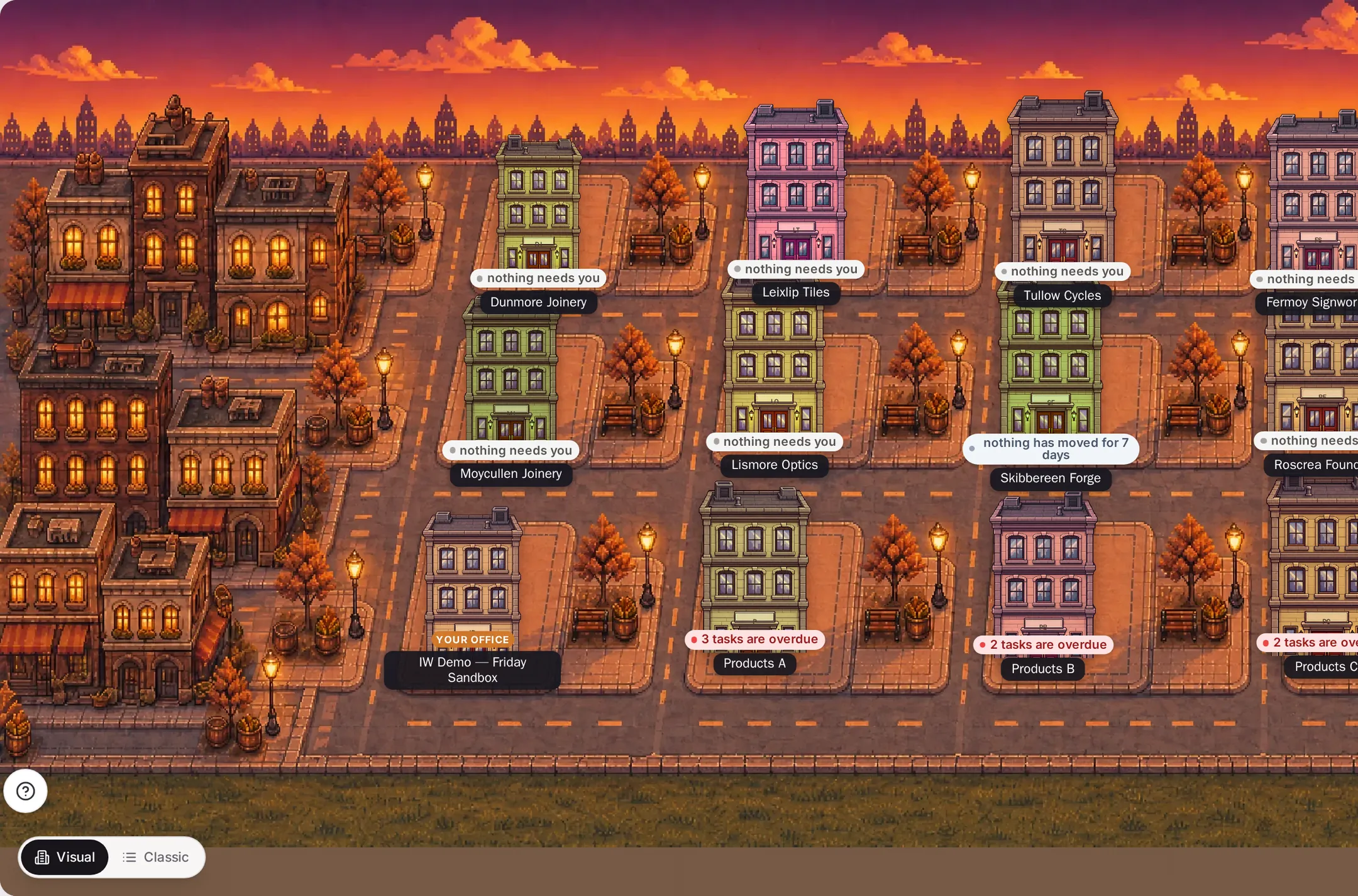
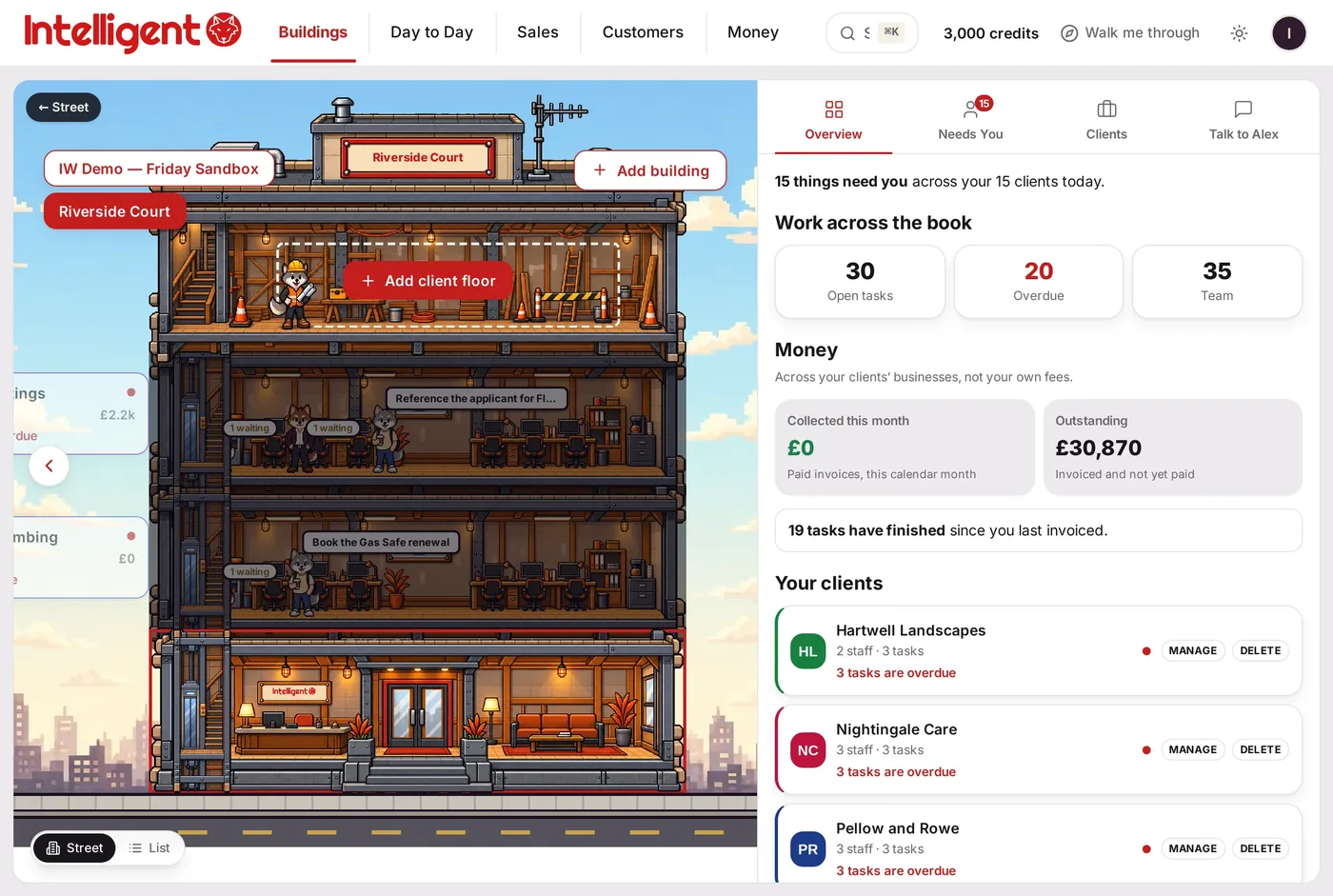
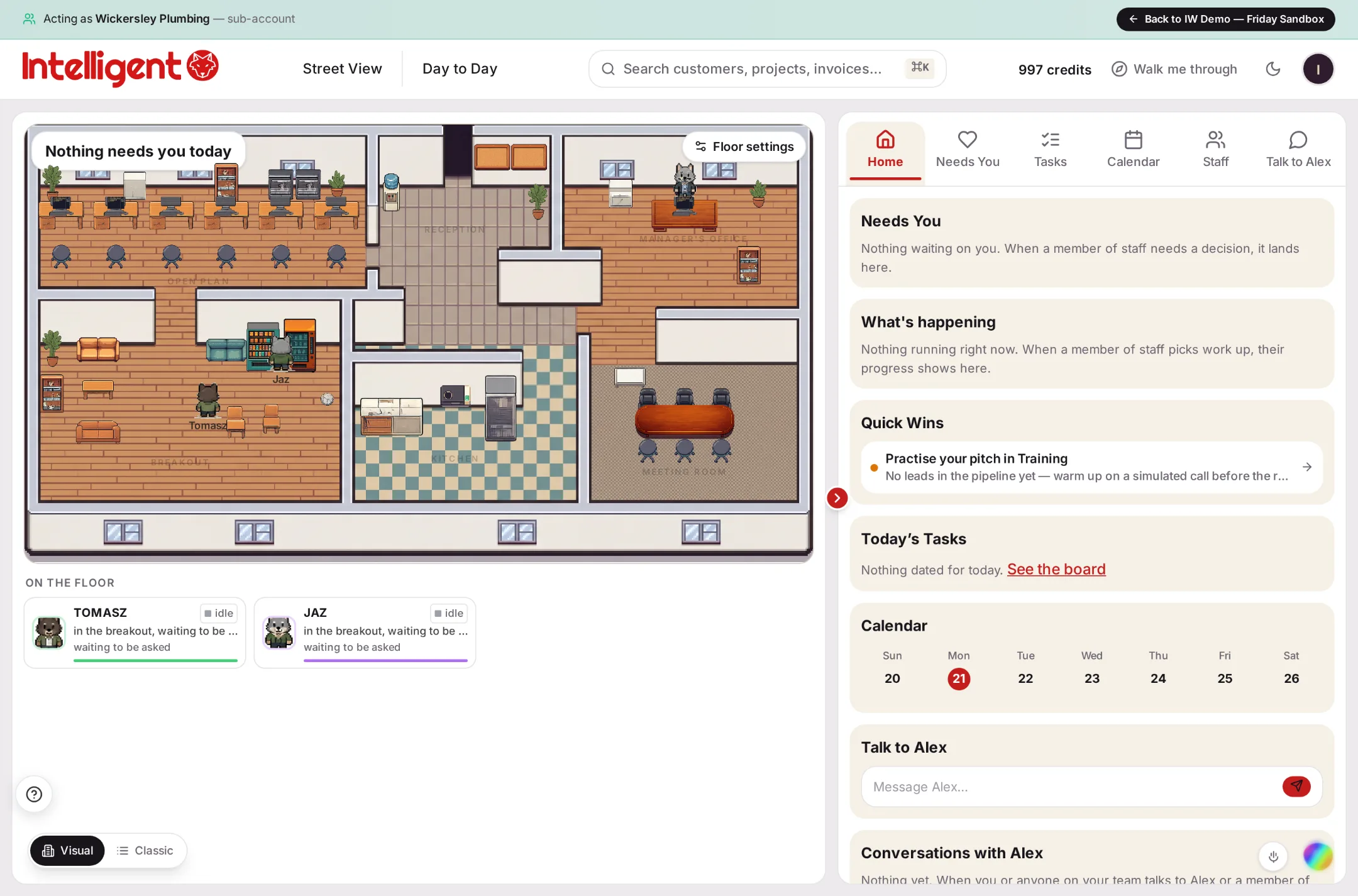
An animated sequence moving from the IntelligentWolf street view, into an opened building, into a working office floor with named AI staff at their desks — the real product, shown with demo data.
An example floor, from the live product. Your staff, your work.
Your building: street, buildings & floors
How your street, buildings and floors fit together, and how to add more.
Read this guide →
The same real data, shown as a moving floor or as familiar lists and tables — one tap to switch.
Read this guide →
Building & designing
Staff (your AI team)
Day-to-day running
Tasks, your calendar, bookings and meetings, all in one place.
Read this guide →
Run your pipeline — leads, deals and quotes — from the sales dashboard.
Read this guide →
Invoices, accounts, banking and transactions.
Read this guide →
Your customer list, Customer 360 and contacts.
Read this guide →
Generate and browse contracts, proposals and other documents.
Read this guide →
Safety, plan & account
Frequently asked questions
What does it cost to start, and can I cancel?
You choose a plan when you sign up and pay one monthly price from day one — Solo is £99 a month for one person. You can cancel any time in Settings → Billing and you keep your plan to the end of the month you've paid for. See *The monthly plan and Wolf Credits*.
Is there a version that costs nothing, or a trial period?
No. Every account is on a monthly plan from the day it's created. Before you sign up you can watch Alex work and try a request on the website, and you can cancel any time afterwards.
When will I be charged?
On the day you sign up, then once a month on the same date. Wolf Credits top-ups are separate one-off payments and are never bought automatically.
My payment didn't go through, or I'm not sure it did — what now?
If your card was declined or you didn't finish your bank's approval step, nothing was taken — just try again. If you paid but the page closed, don't pay again: log in and you'll go straight to your workspace. You can never be charged twice for the same signup. See *Getting started*.
What happened to the Personal plan?
Personal is no longer sold. If you're already on it, nothing changes — your plan carries on as it is. New accounts choose Solo or above. See *The monthly plan and Wolf Credits*.
What's a "floor"?
A floor is a self-contained workspace — your business, a client's business, or a department. Floors sit inside buildings, and buildings sit on your street. See *Getting started* and *Street view, buildings and floor setup*.
Is it a game? Do I have to use the visual view?
No, and no. IntelligentWolf is a business tool with a visual way of working: every building, floor and member of staff stands for your real data and real work — a floor's sign shows its staff, open tasks and money outstanding. If you prefer lists and tables, the Data View shows the same data: the street has a List view, and customers, sales, money and tasks are ordinary lists inside every floor. See *Visual view and Data View*.
What are Wolf Credits, and what happens if I run out?
Wolf Credits meter AI usage across the app — Alex, automations, image/video/document generation. Your plan includes a monthly allowance; if you use it all, buy a top-up pack (from £2.99) which never expires. See *The monthly plan and Wolf Credits*.
Who is Alex?
Alex is your AI coach — always available as the floating orb on every screen. Alex can see everything on the floor you're on and can do anything you can do in the app: fill in setup steps, create records, answer questions about your real data. See *Getting started* and *The discovery call and Hey Alex*.
Can Alex see my clients' data?
Only on the floor it's working on, and only what's really there. Alex's separate practice/test chat is completely walled off from every real customer's account — proven by an automated test that runs on every release. See *Safety and data protection*.
How do I add staff, and can I move them between floors?
Hire staff from a floor's Staff area; they work only on that floor. To move someone, use the explicit "Transfer to another floor" action, which asks you to confirm and keeps a record of the move. See *Staff: hiring and transferring*.
Can I run more than one business, or manage clients, from one account?
Yes — add more floors and they appear as buildings on your street. Floors are unlimited on every plan. See *Street view, buildings and floor setup* and *The monthly plan and Wolf Credits*.
Is my data secure?
Yes — encrypted, kept apart per floor, and payments are handled by Stripe so your card details never touch IntelligentWolf's own servers. See *Safety and data protection*.
How do I change or cancel my plan?
Settings → Billing, any time — no penalty, no lock-in term. See *The monthly plan and Wolf Credits*.
Where do I build or redesign my website?
Build Studio (for building or connecting a website) and Design Studio (for designing pages and boards) — both reachable from the app. See *Build Studio* and *Design Studio*.
How do I get marketing content out for a specific floor?
Each floor has its own marketing area — campaigns, social scheduling, email. See *Marketing per floor*.
Still stuck?
Ask Alex, in the app — Alex answers how-to questions with the exact steps and a real link. Or tell us directly and we’ll reply within one business day.